Transfers between accounts with currency conversion
Move funds between accounts with auto conversion.
14 days full access · No commitment · Cancel anytime
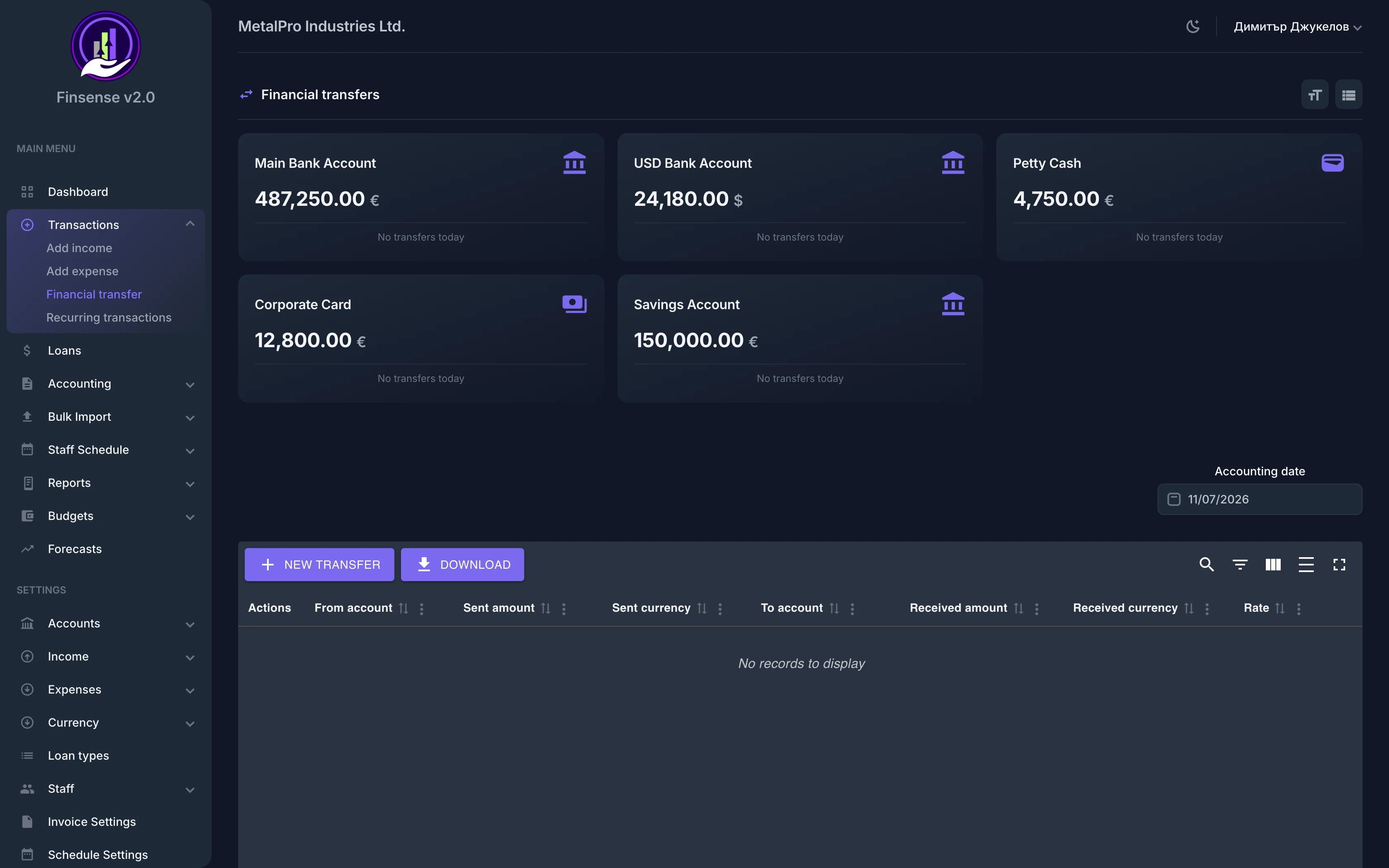
How transfers between accounts work in Finsense
Move funds between accounts with auto conversion.
Seamlessly move money between your financial accounts with Finsense's transfer module. Cross-currency transfers are handled automatically with exchange rate lookup by date, and corresponding expense/income records are created atomically to keep your books balanced.
A dashboard widget shows the daily flows between accounts at a glance, and the transfer history exports to PDF or CSV. Because transfers live in the same system as your financial accounts and multi-currency rates, internal moves never distort your income and expenses — they just move money.
Key Capabilities
Related features
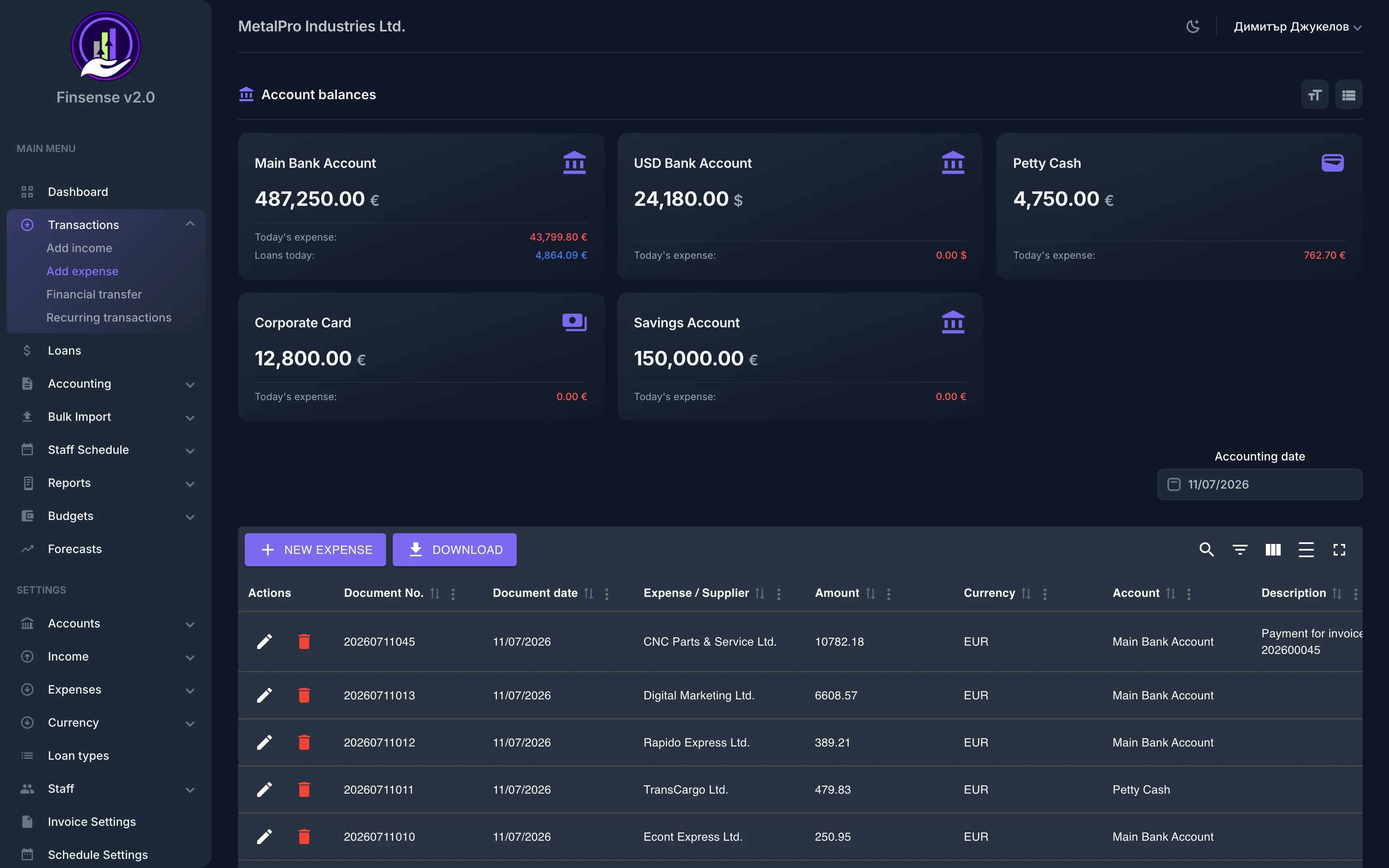
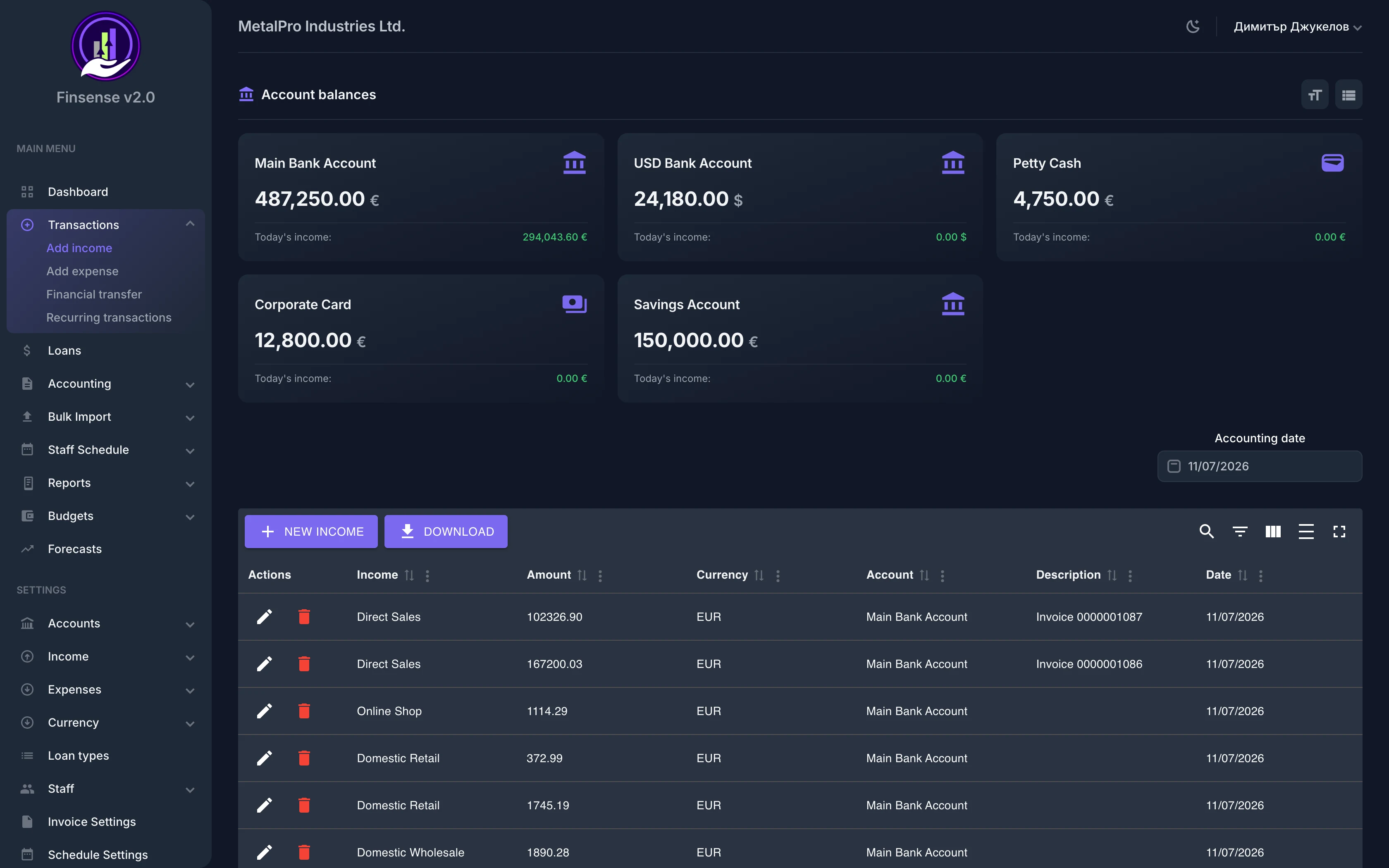
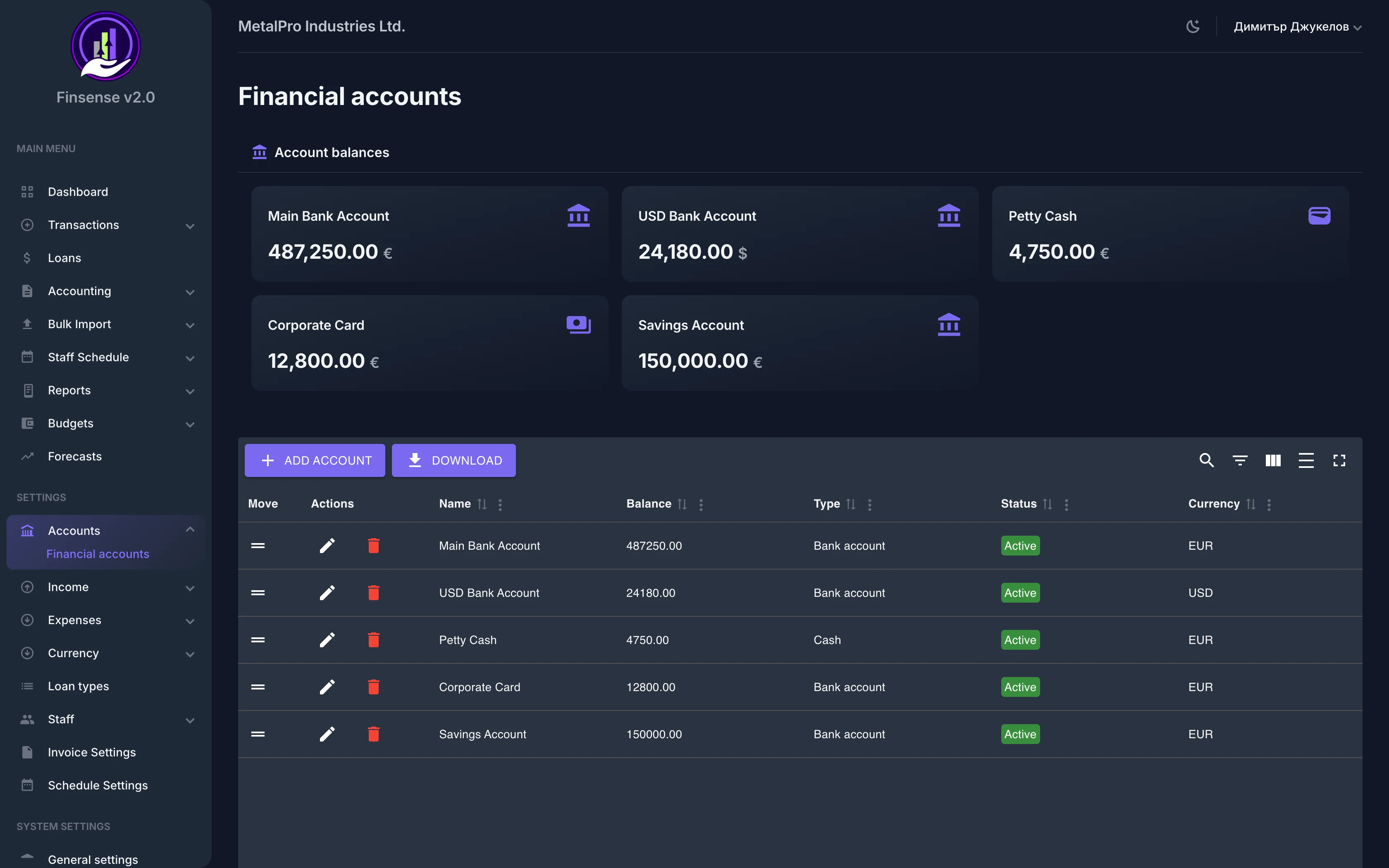
Ready to try Financial Transfers?
Start your free 14-day trial — no commitment — and see what this module can do for your business.
14 days full access · No commitment · Cancel anytime